Windows Keyboard
I led the design for the Windows keyboard, from Surface Neo's dual-screen to the Windows 11. I fixed little quirks of Windows 10 keyboard, simplified layouts and brought envisioned modern gestures. I led initial UX and visual designs before handing off to the team to execute.
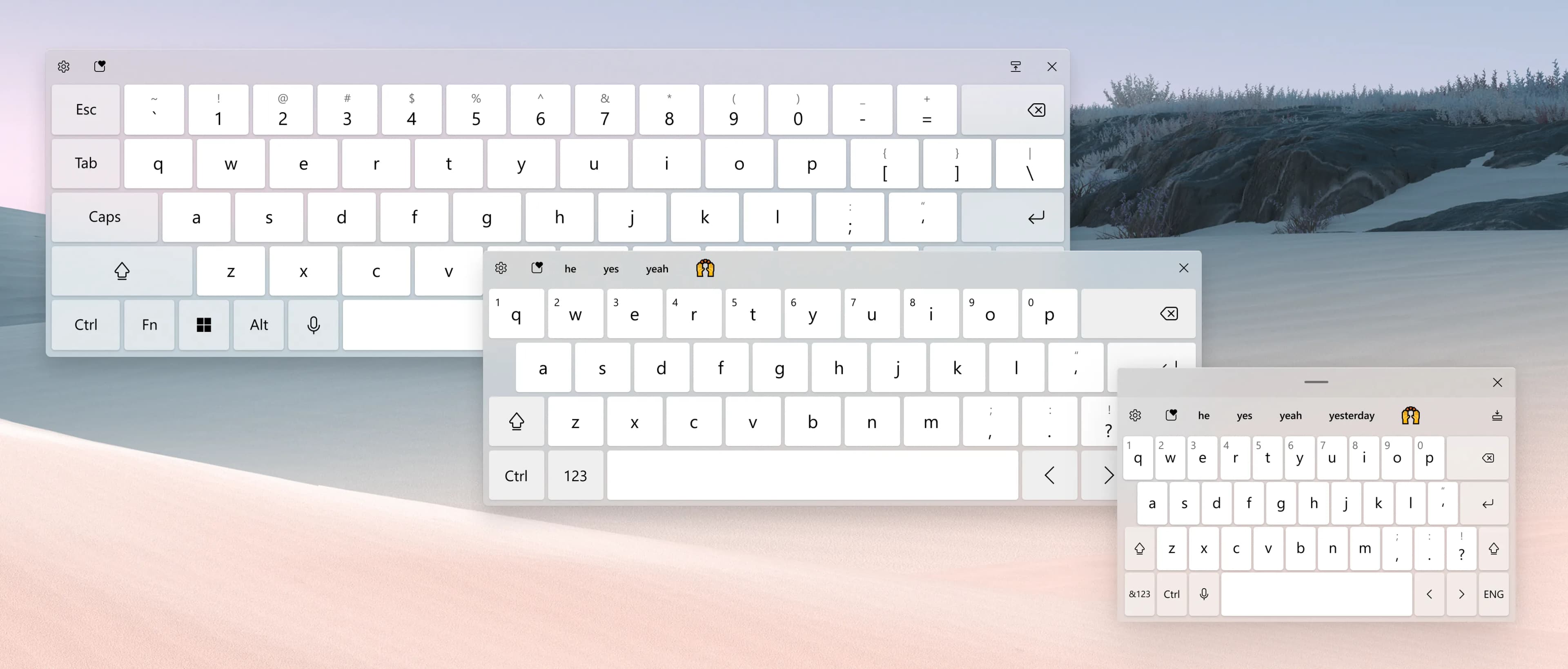
With touch first devices on the rise, the windows touch keyboard was more important than ever. But the existing keyboard was a patchwork of legacy code and designs, with unfamiliar key layouts, and complex postures. The keyboard is deeply ingrained in how people interact with their devices, and I had an amazing opportunity to simplify and modernize this core experience from ground up.
Fundamentals of any touch keyboard layout
Keyboards have few core fundamentals: key pitch, gutter space, ladder pattern and hit target resizing - and to keep them agnostic to screen dpi, they were implemented in millimeters to match the hardware counterparts. A good design is a balance of these fundamentals against the constraints of the device. For Neo, we had to design for a keyboard that could adapt to different postures — laptop, tent, flat — and two separate screens.
Optimal key pitch is 17mm with 1 to 1.5mm gutter space, for comfort and speed.
One must choose a format based on available space and optimal pitch
User can type confidently, even on tiny key pitch
Simplifying layouts
Windows 10 touch keyboard had a lot of permutations of layouts and modes, with complex layout switcher. I simplified that decision making onto binary choice - docked or floating.
A docked keyboard - responds to device size and postures
Undocked keyboard - to free up screen space to avoid occlusion
Japanese 12 key keyboard for fast typing
Gestures & movements
I brought modern gestures like cursor movement through spacebar dragging, 2 finger swipe to undock, pinch to split and more ergonomic movements between dual screens.
Moving keyboard across screens and ergonomic landing zones
Cursor movement through spacebar dragging
2 finger swipe to undock
Pinch to split
Expressive Input
Brought modern expressions like emoji, GIFs, kaomoji, symbols, and clipboard to the keyboard
Responsive keyboard layout
I wanted keyboard to adapt and respond to device posture, without passing that burden to users. I developed a responsive strategy that prioritized key fundamentals of keyboard layout, giving users the most optimal layout for their posture.